
 EN
EN 8°C
8°C 4°C
4°C 16°C
16°C 12°C
12°C 07.09.26 09:36

With Liase, your old smartphone becomes a call-back button. One press - and all family members are notified at the same time that you need a call back.
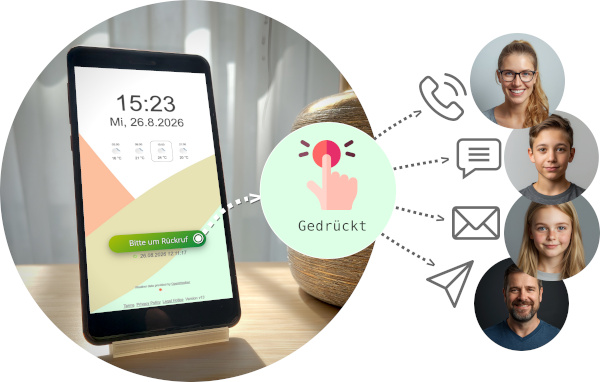


 Free to useSet up in just a few minutesAll you need is an old smartphone - nothing elseNotifications for calls, SMS, Telegram, and email





Sometimes you need a little help - and you need it soon. You are running out of medication and need someone to bring more. Your computer is causing problems and you cannot figure them out on your own. Or something has happened at home and you need support. In moments like these, it would be useful to reach someone with a single action.
Why Not Just Call Someone Yourself?
Sure, you could call. But perhaps no one is available, you reach voicemail, and then you have to wait. Or you may need to call several people one after another until someone answers. Depending on the situation, even that can feel difficult - perhaps your hands are full or you need a solution that is as simple and straightforward as possible.
How It Works
With Liase, you can turn your old smartphone into a stationary device. Place it somewhere easily accessible - in the living room, hallway, or kitchen. When you need help or have an urgent question, press the button. Everyone you have previously invited through the sharing feature is notified at the same time. Whoever is available calls you back.
It is a quick and uncomplicated way to draw attention to yourself when you need support. No calling one person after another, no waiting on voicemail.
Important Note
Liase is not an emergency call service. In a medical emergency, always call 112.